TikTok Ad Account Suspended? Root Causes, Appeal SOP & Recovery
Is your TikTok ad account suspended? Diagnose root causes, prepare a structured appeal with supporting documents, check refund rules, and reduce future risk.
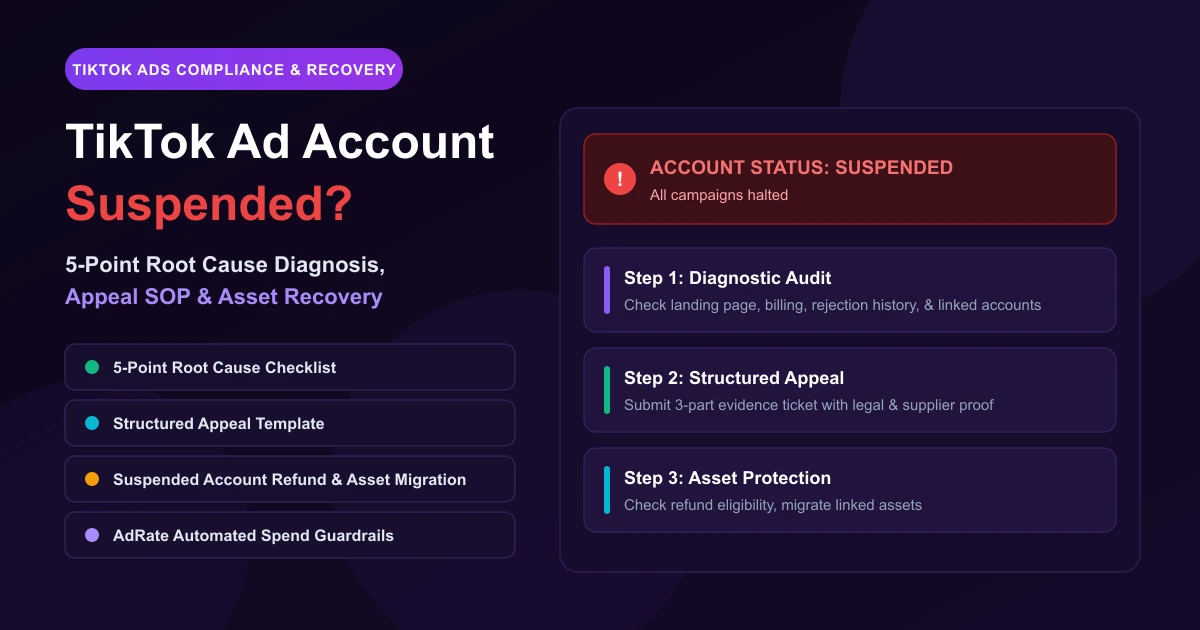
Seeing a red banner stating that your TikTok ad account suspended status has taken effect is every media buyer's worst morning scenario. In a split second, active campaigns stop spending and ad-driven revenue drops to zero.
Before submitting a panicked ticket, understand the operational boundary. An ad rejection affects an isolated creative, while an account suspension shuts down your entire TikTok Ads Manager workspace. All delivery ceases immediately, pending ad reviews freeze, and linked asset workflows stall. Rather than sending a rushed ticket right away, check the suspension notice in Ads Manager or Business Center, fix the underlying policy triggers first, and submit a complete evidence package.
Diagnosing the Suspension: The 5-Point Root Cause Tree
Suspension notices are usually generic and rarely name the exact policy breached. Use this 5-point diagnostic checklist to isolate the likely trigger before writing your appeal.
| Risk Category | Common Triggers & Signals | Primary Audit Action |
|---|---|---|
| Landing Page Policy | Missing physical business address, non-working checkout links, aggressive countdown timers, or unexpected redirects. | Audit destination URL for full footer compliance, SSL integrity, and clear refund policies. |
| Payment & Entity Mismatch | Credit card billing name or country differs from registered TikTok Business Center entity. | Confirm billing method details match corporate registration documents exactly. |
| High Ad Rejection Velocity | Submitting large batches of unvetted creatives or repeatedly re-uploading rejected ads in a short period. | Review rejected ad logs in Ads Manager and identify repeating violation reasons. |
| Linked Account History | Sharing payment methods, domains, or business entities with previously suspended ad accounts. | Audit linked accounts in Business Center and resolve outstanding compliance issues before resuming delivery. |
| Restricted Products & Claims | Running exaggerated claims, unverified health supplements, or unauthorized branded goods. | Verify commercial licenses, trademark certificates, and product safety compliance. |
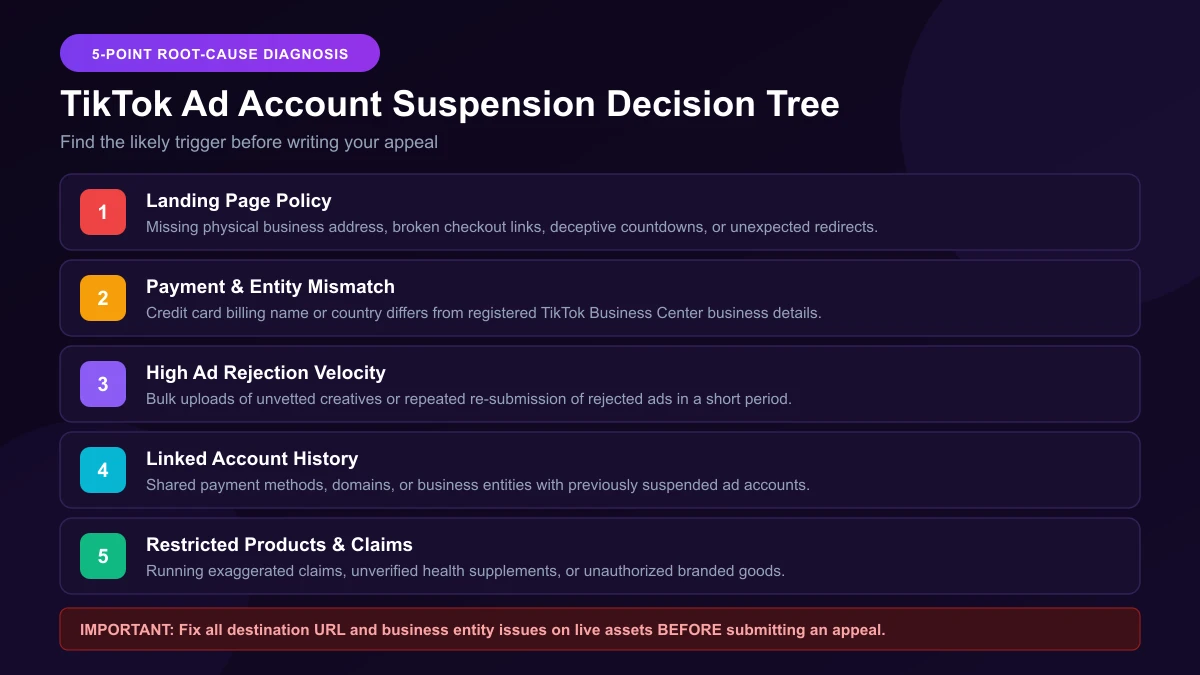
Most unexpected bans stem from accumulated policy violations rather than a single mistake. Repeated creative rejections, landing page errors, or billing failures in a short period can trigger an account-level compliance review or suspension.
Step-by-Step Account Appeal SOP
Appealing a suspended account requires concrete documentation and structured accountability. Emotional complaints or vague statements like "we did not break rules" rarely pass review without supporting proof.
Step 1: Complete Pre-Appeal Corrections
Do not file an appeal while non-compliant elements remain live. Fix all landing page errors, update broken footer links, add clear shipping and return policies, and remove disputed creatives. If your business entity details are incomplete in Business Center, update your legal company name and tax ID (EIN) before opening a support ticket.
Step 2: Prepare the Documentation Bundle
Assemble a single, well-organized PDF or image bundle containing:
- Certificate of Incorporation or Articles of Organization matching the registered business name.
- Official utility bill, bank statement, or government tax document confirming company address.
- Reseller authorization letter or wholesale supplier invoices for branded products.
- Proof of payment method ownership showing the last 4 digits and cardholder name matching your Business Center admin.
Step 3: Use a Structured 3-Part Appeal Template
Submit your appeal through the appeal prompt on the suspension banner or via customer support in TikTok Ads Manager or Business Center. Use the structured template below, replacing the bracketed placeholders with verified details.
Subject: Formal Appeal: Account Suspension Review - [Your Account Name] (ID: [Your Account ID])

Part 1: Account Identification & Context
Account Name: [Legal Business / Account Name]
TikTok Ad Account ID: [Your Ad Account ID]
TikTok Business Center ID: [Your Business Center ID]
Website / Store URL: [https://yourstore.com]

Part 2: Root-Cause Analysis & Corrective Actions
We reviewed the TikTok Advertising Policies following the recent suspension notification. We identified the likely factor that triggered the account review:
1. Issue Identified: [Briefly state the audited issue, e.g., A broken link in our checkout footer / Incomplete return policy text on our recent landing page].
2. Corrections Completed: We resolved this issue immediately across our store and creative assets. The updated landing page now includes full policy links, active contact information, and verified merchant credentials [Insert live verification link].
3. Verification Documentation Attached: We attached our Certificate of Incorporation, matching bank statement, and product supply invoices to confirm legitimate commercial operations.

Part 3: Compliance Commitment & Governance
We instituted a pre-flight creative review checklist to ensure every future ad strictly complies with TikTok policies before submission. We request an account review and re-activation of our ad serving privileges.

Thank you for your assistance.
[Your Full Name]
[Your Role / Title, e.g., Head of Growth]
[Contact Email & Phone Number]
Review times vary, so monitor your support ticket and email notifications for updates. If you need to add documents or follow up, reply within the existing ticket thread rather than opening duplicate requests.
What to Do If the Account Is Permanently Suspended
If an appeal receives a final rejection, the account remains permanently suspended. While ad delivery cannot be restored on that account, advertisers should still handle remaining funds and decouple linked assets.
Suspended Account Recovery Workflow:
Step 1: Terminate active campaigns -> Preserve delivery logs & pixel event records
Step 2: Check balance refund eligibility -> Contact TikTok support or use self-serve if available
Step 3: Decouple creator identities -> Revoke Spark Ads auth & TikTok Shop links
Step 4: Before opening any new account -> Confirm eligibility with TikTok support or your account manager
Remaining Balance on a Suspended Account
Suspended or deactivated accounts go through a separate refund review process, and the Ad Services Payment Terms state that a service fee of up to 10% may apply in these cases. Self-serve refund requests are only available to eligible customers, while others must contact TikTok support. Unused ad credits are non-refundable under the Advertising Credit Terms and Conditions. For active accounts, see how to close a TikTok ad account in good standing and get a refund.
Decoupling and Migrating Linked Assets
Review which assets and permissions are still tied to the suspended ad account, and move the ones you still need to an active, compliant account:
- Revoke unneeded Spark Ads authorizations and re-authorize creator posts under your active ad account.
- Unlink your TikTok Shop or official TikTok account from the disabled ad account and connect them to your active workspace.
- Export historical performance reports and conversion data before closing out workspace access.
- If you plan to keep advertising on TikTok, check with TikTok support or your account manager whether your business can open a new ad account, and only launch after every issue behind the suspension is fixed.
Reducing Suspension Risk with Automated Guardrails
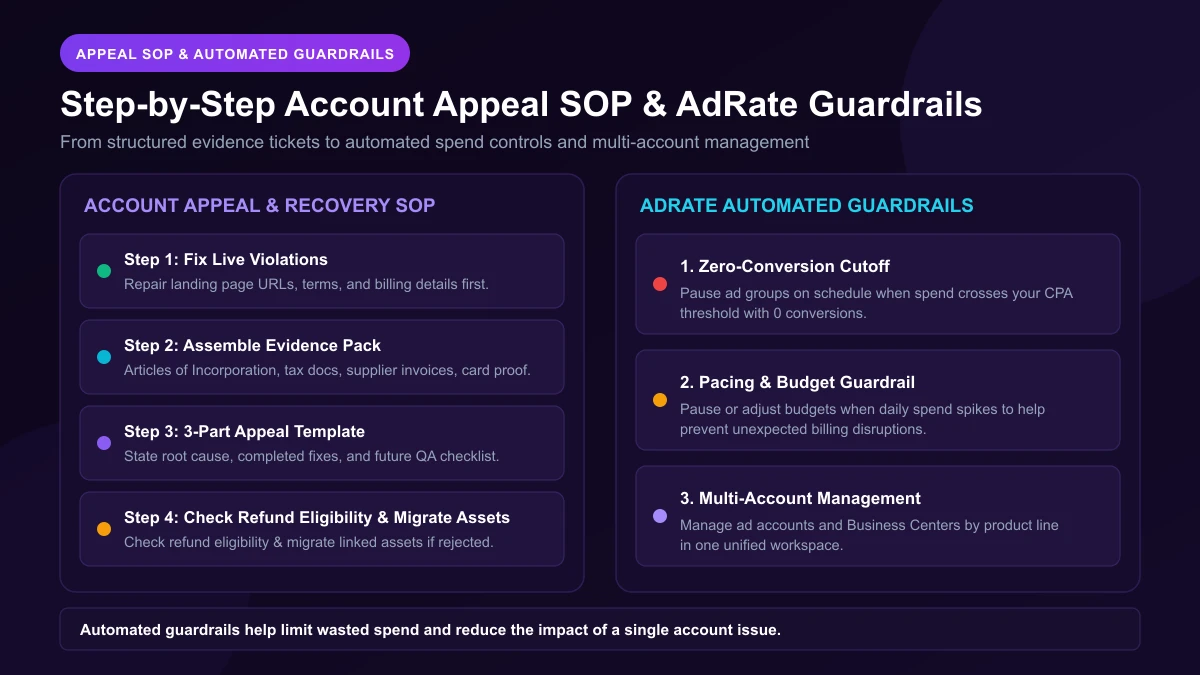
Unexpected account suspensions often coincide with sudden delivery anomalies, aggressive budget scaling, or unsegmented asset structures. Establishing disciplined operational guardrails helps protect your budget and limits the blast radius of a single account issue.
- Zero-Conversion Spend Cutoff: Configure automated rules to check active campaigns on a regular schedule. If an ad group exceeds a predefined spend threshold (e.g., 2x to 3x your target CPA) without recording a conversion, the rule pauses delivery automatically. This helps stop runaway spend on broken landing pages or misconfigured funnels before wasted budget piles up.
- Pacing and Budget Protection: Sudden budget spikes or erratic billing surges can lead to payment declines. Automated rules monitor spend pacing and pause or adjust budgets when daily spend accelerates abnormally, helping prevent unexpected billing disruptions.
- Multi-Account Portfolio Management: Avoid concentrating your entire advertising budget inside a single ad account. Organize your media buying across separate ad accounts and Business Centers by product line or brand. If one account faces review, the others can keep delivering, which limits the impact on your overall business.
If creatives are stuck in review, see our guide on TikTok ads rejected or stuck in review. If delivery halted without a suspension banner, check our diagnostics for TikTok ads not delivering.
Protect Your Accounts with AdRate
Recovering from a suspended TikTok ad account drains operational resources and disrupts campaign momentum. A practical safeguard is pairing disciplined compliance audits with automated spend controls and multi-account management.
With AdRate automated rules, growth teams can deploy condition-based safeguards that monitor spend, conversion counts, and CPA thresholds around the clock and pause campaigns that cross your limits, so wasted spend gets cut early. In parallel, AdRate multi-account management allows DTC brands and agencies to manage multiple Business Center entities and ad account portfolios across organized workspaces. Set the rules once and spend less time firefighting.
Official TikTok new advertiser program - exclusive benefits for new advertisers
Open a new TikTok ad account and earn official ad credit as you spend
Spend $200 within 30 days of signing up and get $200 in ad credit, rising to $6,000 when you spend $10,000. Credits go straight into your TikTok ad campaigns.
Coupons are issued by TikTok once it confirms you qualify as a new advertiser. Actual issuance and tiers are shown on the Coupon Progress page inside your TikTok Ads account.