How to Disable Comments on TikTok Ads, or Hide Them Instead
You can disable comments on TikTok ads per ad group, or hide spam with Blocked Words, Block User and Hide. Where each switch is and what TikTok doesn't say.
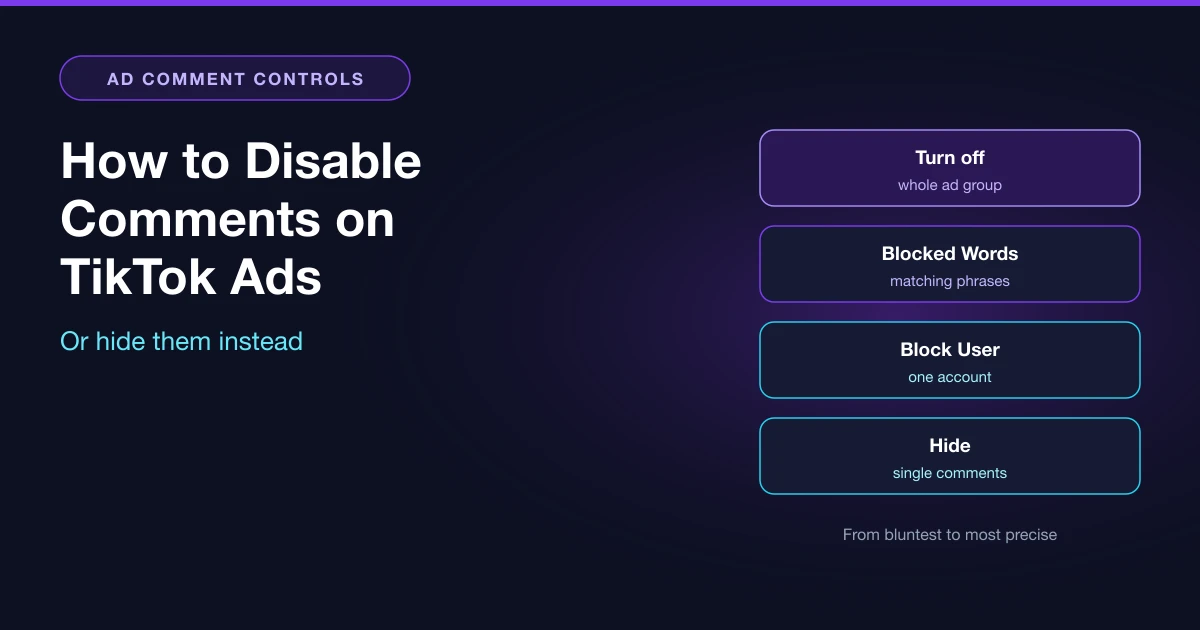
Yes, you can disable comments on TikTok ads, but only one ad group at a time. In the ad group's Placements section, open Advanced settings, switch off User comment (some accounts see it labeled Allow comments) and click Turn off. It works on new and existing ad groups, and you can switch it back on the same way.
TikTok itself recommends keeping comments on, saying they help ads get more impressions and conversions. Turning off a whole ad group is also the bluntest of the four tools you have, so start with the problem.
Turn off, hide, or block: match the tool to the problem
| Your situation | Use | What it covers | The catch |
|---|---|---|---|
| This ad group can't have comments at all | User comment toggle | The selected ad group | Buyer questions go along with the spam |
| The same insults, competitor names or scam phrases keep appearing | Blocked Words | Comments containing a blocked phrase, hidden automatically | Max 500 words, 30 Latin characters each |
| One account keeps posting | Block User | All of that user's new and existing comments on your ads | They can still see their own comments |
| A handful of bad comments | Hide in Comments Manager | The comments you pick, one by one or in bulk | Needs a linked TikTok account |
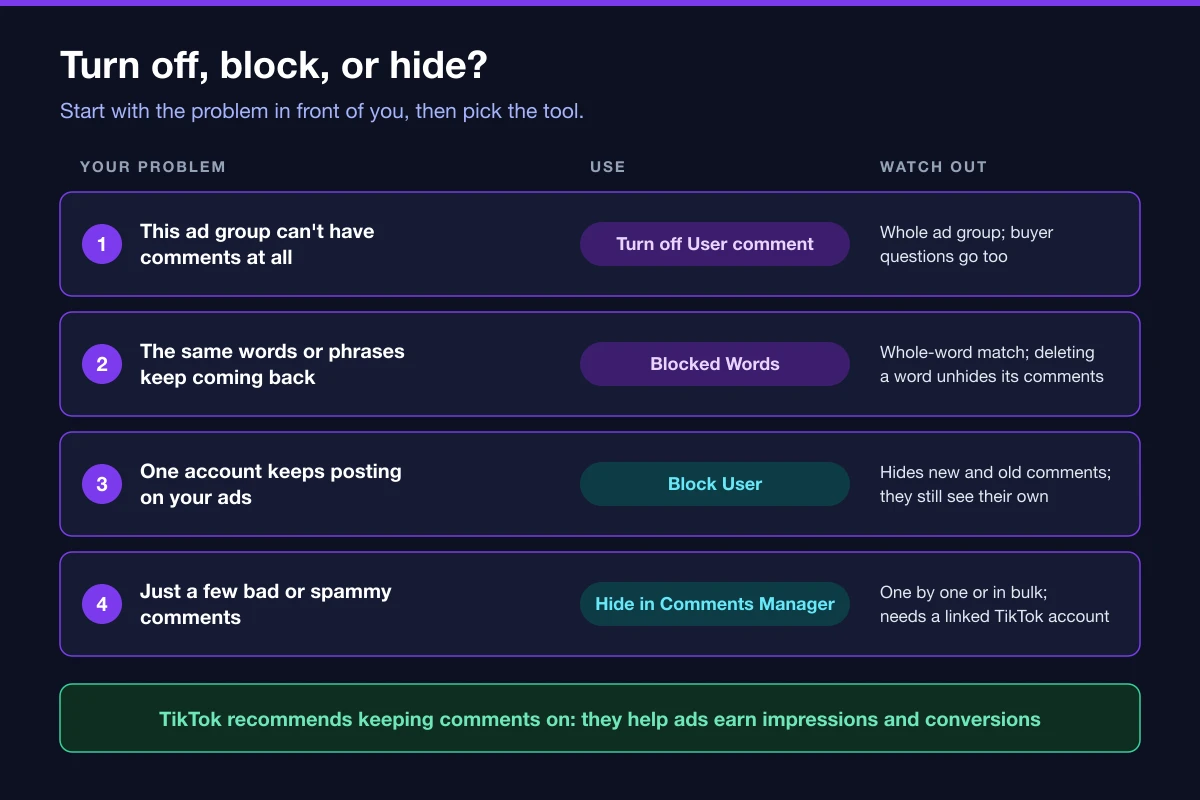
Blocked Words causes the most surprises. In spaced languages it matches whole words: "I love" catches "I Love You" and "I, love you", since case and punctuation don't count, but it misses "I loved" and "Ilove". Add the spellings you actually see. Two side effects are easy to miss. You can't manually unhide a comment that a blocked word hid. And if you delete a word from the list, every comment it was hiding becomes public again.
Block a user from their comment, or under Block Users in Assets using their TikTok ID.
How to turn off comments on a TikTok ad group
You need permission to create or edit ad groups.
On a new ad group:
- Under Placements, click the Advanced settings drop-down.
- Next to User comment (or Allow comments), turn the toggle off.
- When asked to confirm, click Turn off.
On an existing ad group:
- Click Campaigns, then the Ad groups tab.
- Hover over the ad group name and click Edit.
- In Placements, open Advanced settings and switch User comment off.
- Click Continue.
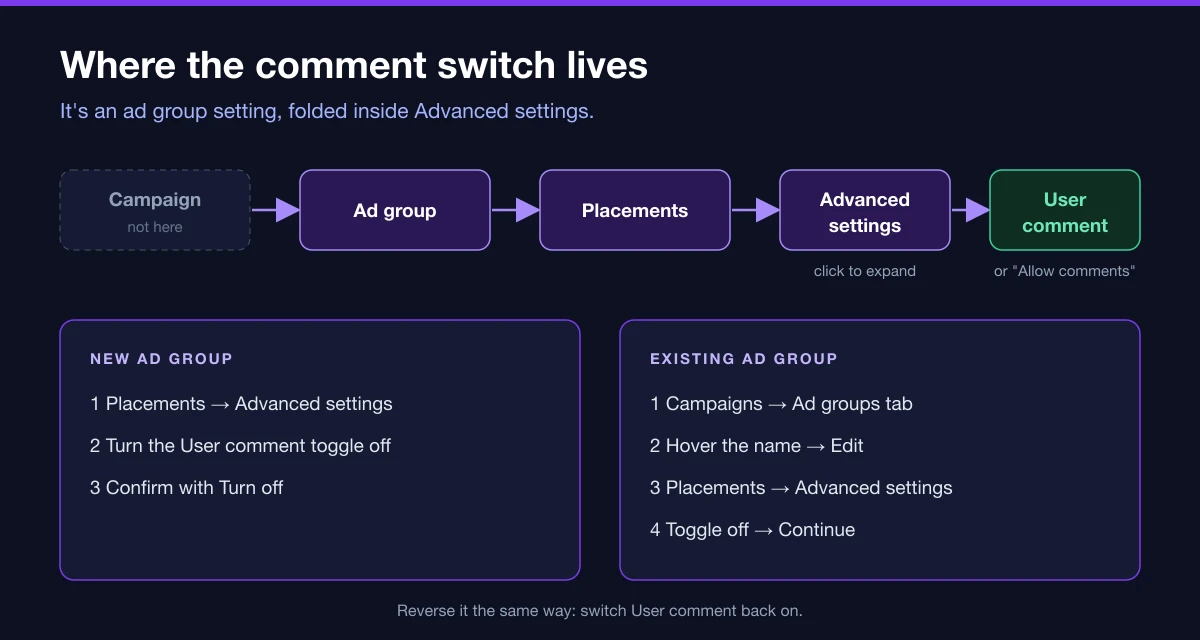
The toggle isn't at campaign or ad level, and stays hidden until you expand Advanced settings. Our placements guide covers the rest of that section.
Older advice says the setting locks once ads go live and you must duplicate the ad group. TikTok's current steps (updated March 2026) let you edit an existing ad group.
What TikTok doesn't say: whether comments already posted are hidden or kept when you turn the toggle off, whether they come back when you turn it on, and whether the edit sends ads back to review. If that matters, test on a low-spend ad group first.
When turning comments off is the right call
The clearest case is a rule that says no comments, full stop. The r/adops thread asking how to "turn off commenting in advance for TikTok ads? (As opposed to hiding them after the fact)" came from a healthcare advertiser who explained they're "required by law in Canada to not have comments because people could be reporting an adverse health event which requires specific protocol." No amount of hiding solves that.
The same thread shows what it can cost. One reply said "most people who want tiktok comments disabled on their ads are scammers (oops, sorry i meant "dropshippers") & false advertisers." That's one person's view, but it's the read you risk when an ad has no comment section.
If your problem is spam or a few angry buyers, hiding and blocking keep the real questions visible. Before deciding, open Comment Insights: its sentiment ratio and word cloud show whether the negativity sits on one creative. If so, swapping that creative may fix more than switching comments off.
And if an ad group's comment rate suddenly drops, check whether someone turned the toggle off; TikTok lists it first among causes of a low comment rate.
How to see TikTok ad comments in Ads Manager
There are two ways in:
- In the top menu, hover over Tools and click Comments (or Comments Manager).
- Go to Campaigns, open the Ad group tab, click the three dots next to an ad group and choose Comments.
Comments Manager lets you view, reply to, like, block, export, hide and filter comments. You must be linked to a TikTok account to manage them, and your replies appear as the business entity that created the ad.
Spark Ads, Smart+ and Promote
Spark Ads. Comments gained while a Spark Ad runs are attributed to the original organic post. Replying needs authorization for the identity that created the ad: with "Use account owned by you", only the user linked to that TikTok account can reply; with an authorized account or post, only people with access to it can. TikTok doesn't say whether the ad group toggle affects the original post's comments, or vice versa, so check the post after launch. If creator authorization is part of your workflow, see our Spark Ads authorization SOP.
Smart+. Upgraded Smart+ ad groups have a user comment setting too, but the Help Center doesn't show where it sits in the interface.
Promote. We found no official guidance on turning off comments for Promote, so don't assume the Ads Manager steps apply.
Keep watching the numbers, not just the comments
Comments are one signal, and checking every ad group by hand is how problems slip through. AdRate's automation rules watch spend, conversions and engagement, and pause or adjust ad groups when something drifts. Ad group settings, the comment toggle included, can be set while you build ad groups and carry over when you copy them. Start with our automation rule templates, or try AdRate free.
FAQ
Can you turn off comments on all TikTok ads at once?
TikTok only documents the switch at ad group level and doesn't mention an account-wide setting, so plan on going ad group by ad group.
Can you delete comments on a TikTok ad?
Deleting other people's comments isn't among the actions Comments Manager lists. Cleanup means hiding comments, using Blocked Words or blocking users.
Why can't I hide a comment?
If it contains a blocked word, you can't hide or unhide it manually; removing the word makes every comment it hid public.
Does a hidden comment disappear for the person who wrote it?
A blocked user still sees their own comments. For a single comment you hide manually, TikTok doesn't say.
Official TikTok new advertiser program - exclusive benefits for new advertisers
Open a new TikTok ad account and earn official ad credit as you spend
Spend $200 within 30 days of signing up and get $200 in ad credit, rising to $6,000 when you spend $10,000. Credits go straight into your TikTok ad campaigns.
Coupons are issued by TikTok once it confirms you qualify as a new advertiser. Actual issuance and tiers are shown on the Coupon Progress page inside your TikTok Ads account.