TikTok Instant Form Not Showing? Check These 5 Things First
Is your TikTok Instant Form not showing in Ads Manager? Check optimization location, publish the form, and share Leads Center forms to your ad account.
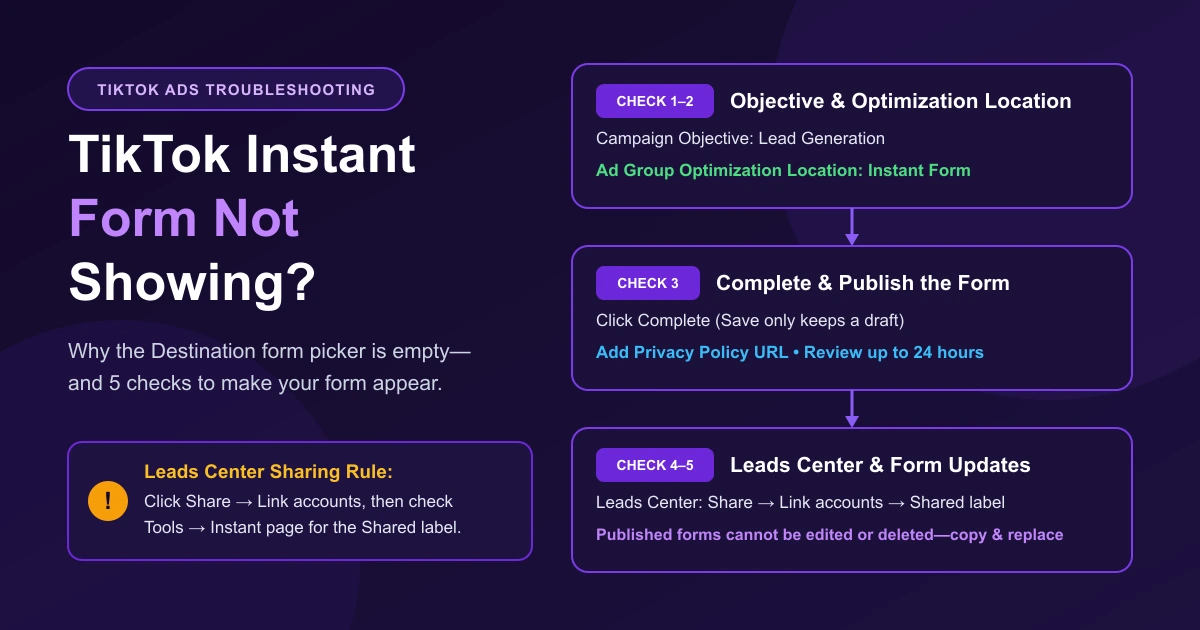
If your TikTok Instant Form is not showing in the Destination selector at the ad level, two settings are usually responsible: the ad group Optimization Location is not set to Instant Form, or the form was created in Leads Center and has not been shared with your ad account. Work through the five checks below in order.
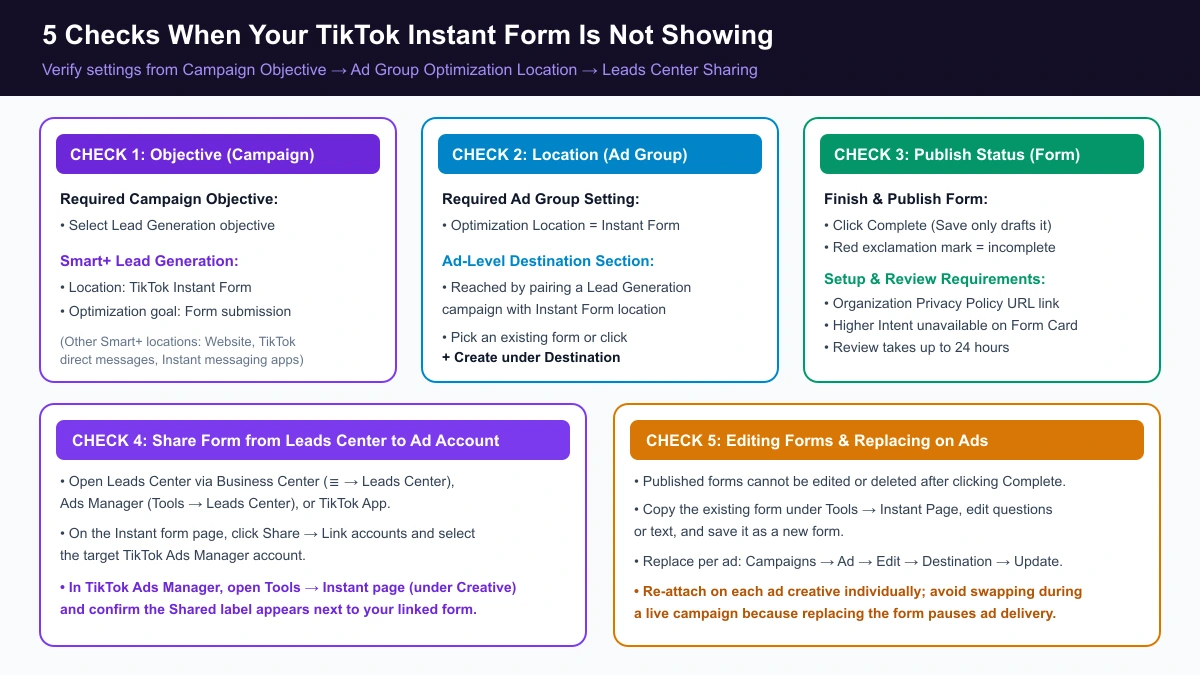
5 Checks When Your TikTok Instant Form Is Not Showing
Check 1: Confirm Your Campaign Objective Is Lead Generation
Create your campaign under the Lead Generation advertising objective in TikTok Ads Manager (see how objectives compare in TikTok ad types). In Ads Manager, Instant Forms are attached through the Lead Generation objective.
In a Smart+ Lead Generation campaign, check the location setting too. Smart+ Lead Generation supports Website, TikTok Instant Form, TikTok direct messages, and Instant messaging apps—select TikTok Instant Form with the optimization goal set to Form submission.
Check 2: Set Ad Group Optimization Location to Instant Form
At the ad group level, set Optimization Location to Instant Form before moving to the ad level. The Destination section at the ad level is where you pick an existing form or click + Create. TikTok's Instant Form setup guide reaches that selector through a Lead Generation campaign with Instant Form set as the ad group Optimization Location.
Check 3: Click Complete to Publish the Form (Not Just Save)
Open Tools → Instant Page in TikTok Ads Manager (or click + Create under Destination at the ad level) and confirm you clicked Complete to publish the form rather than only clicking Save to draft it.
You cannot click Complete if any required section is unfinished; a red exclamation mark appears next to incomplete sections. Before publishing, verify three details:
- Privacy policy URL: Include your organization's privacy policy URL link and review the Lead Ads Terms.
- Form type compatibility: The Higher Intent form type is not available for the Form Card format.
- Review time: Instant Form reviews take up to 24 hours during standard operating hours (for compliance flags, see TikTok ads rejected or stuck in review).
Check 4: Share Leads Center Forms with Your Target Ad Account
In our experience with agency accounts, this is the most common reason a form goes missing: the form was built in Leads Center, but it has not been shared to the specific ad account running the campaign. You can access Leads Center from Business Center, TikTok Ads Manager, or the TikTok app to create and share Instant Forms across TikTok Ads Manager accounts and TikTok Business Accounts.
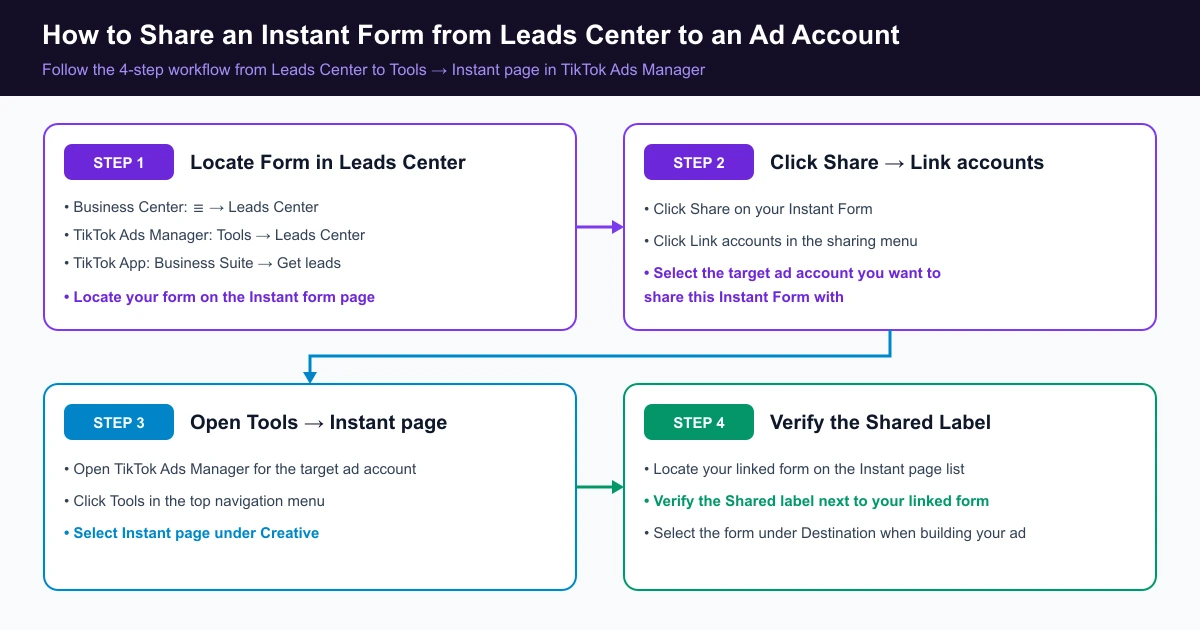
Follow these four steps to share the form and confirm it arrived:
- In Leads Center (☰ → Leads Center in Business Center, or Tools → Leads Center in Ads Manager), locate your form on the Instant form page.
- Click Share, then click Link accounts to select the target ad account.
- In TikTok Ads Manager, click Tools, then select Instant page under Creative.
- Verify the Shared label next to your linked form.
When creating or copying campaigns via the API or a third-party tool, a form missing from the target ad account can also return "Unable to obtain lead ad form information." If you cannot see the ad account or its shared assets inside Business Center, see our Business Center permission error guide to verify member and asset roles, or run through the agency ad account checklist when onboarding a client account.
Check 5: Need to Edit or Delete a Published Form? Copy and Replace It
TikTok's Ads Manager help says that once you click Complete, you can't edit the content of a published Instant Form, including its questions or text, and there is no option to delete a form after creating it. Forms that are not published yet can still be edited at any time, so finish your changes before you click Complete.
Instead, open Tools → Instant Page, copy the existing form, edit the copy, and save it as a new form. Then replace the attached Instant Form via Campaigns → Ad → Edit → Destination → Update (Create new or From library). Replacing a form in one Ad Creative does not update other ads automatically, and swapping forms during a live campaign is not recommended because it pauses ad delivery.
Quick Troubleshooting Summary
| Issue | Where to Check | Action |
|---|---|---|
| No form picker at ad level | Campaign & Ad Group → Optimization Location | Choose Lead Generation and set Optimization Location to Instant Form (or TikTok Instant Form in Smart+). |
| Red exclamation mark blocks Complete | Tools → Instant Page | Finish required fields, add a privacy policy URL, and avoid pairing Higher Intent with Form Card. |
| Leads Center form missing | Leads Center & Tools → Instant page | Click Share → Link accounts in Leads Center, then verify the Shared label in Ads Manager. |
| Cannot edit or delete a published form | Tools → Instant Page & Ad → Edit → Destination | Copy it into a new form, then click Destination → Update on each ad (swapping during a live campaign pauses delivery). Unpublished forms can still be edited. |
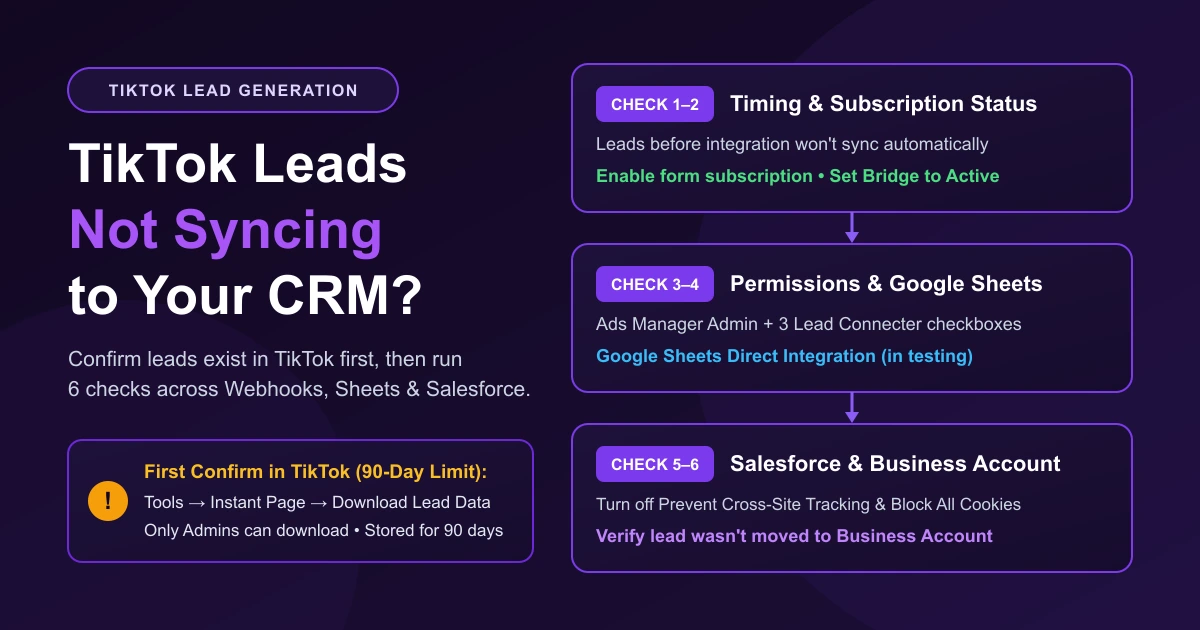
Once your form is live, only ad account Admins can download and manage Instant Form leads, and TikTok Ads Manager stores lead data for 90 days only. If the download button is unavailable, see TikTok's lead download troubleshooting steps.
When running Lead Generation campaigns across multiple ad accounts, AdRate lets you pick forms from the ad account or from a connected Business Center in one place inside the campaign wizard—so multi-account setups don't send you hunting across tabs.
Official TikTok new advertiser program - exclusive benefits for new advertisers
Open a new TikTok ad account and earn official ad credit as you spend
Spend $200 within 30 days of signing up and get $200 in ad credit, rising to $6,000 when you spend $10,000. Credits go straight into your TikTok ad campaigns.
Coupons are issued by TikTok once it confirms you qualify as a new advertiser. Actual issuance and tiers are shown on the Coupon Progress page inside your TikTok Ads account.