TikTok Ads Daily Spending Limit: How to Lift the $50 Cap Fast
Capped at $50/day on TikTok Ads? Diagnose silent freeze symptoms, understand sandbox trust tiers, and execute our battle-tested 4-step SOP to lift limits fast.

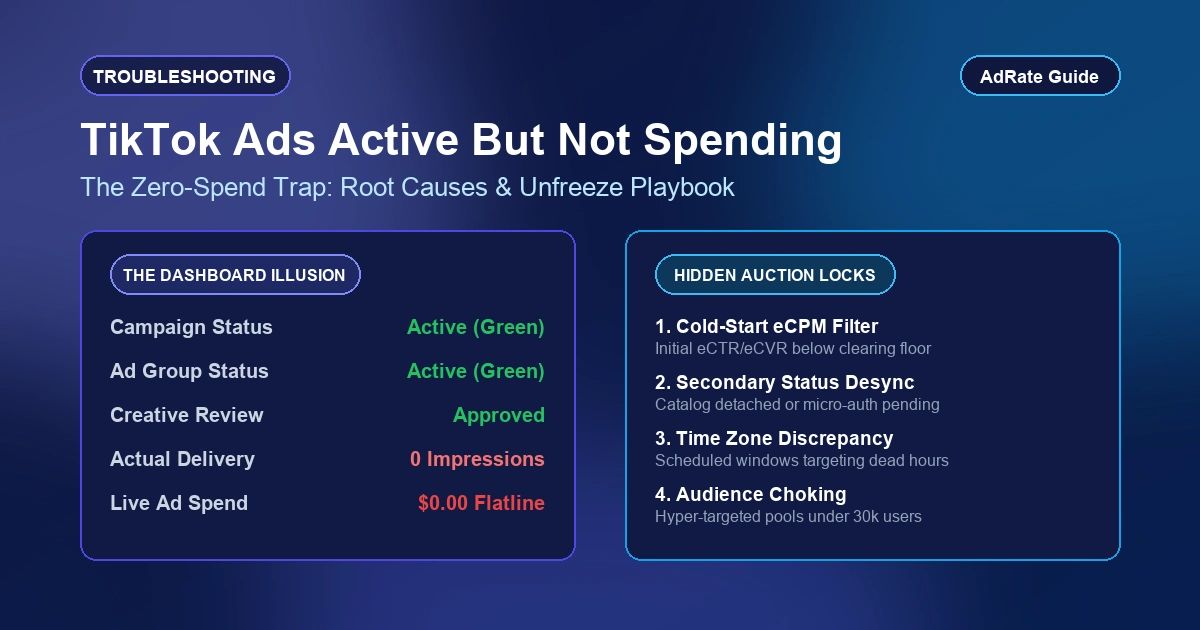
You set a $300 daily budget on a high-performing campaign, watch orders stream in during the morning rush, and then delivery collapses. Impressions flatline to zero by 1:30 PM, your real-time spend freezes at exactly $50.00, yet your payment card shows no declined authorizations and campaign status remains active.
Direct Answer: Your account is restricted by TikTok Ads automated financial sandbox, not an ad group budget error or payment failure. Every self-serve advertiser begins with zero platform trust, capping total out-of-pocket daily exposure at $50 to curb fraudulent traffic and credit dumping. To scale profitably, you must actively graduate through platform risk tiers. This operational guide provides first-hand diagnostic benchmarks, account sandbox mechanics, and a field-tested 4-step standard operating procedure (SOP) to expand your daily cap to $500+ within 72 hours.
Diagnosing Account Cap vs. Budget Freeze: First-Hand Benchmarks
In media buying war rooms, teams frequently confuse campaign-level misconfigurations with platform risk sandboxes. Before filing support tickets, verify these four diagnostic signatures from your Ads Manager logs:
- Exact Currency Threshold Ceiling: Check your daily spend dashboard. If aggregate spend across all campaigns stops at $50.00 (or local equivalents such as 50 GBP or 50 EUR) despite higher campaign caps, you are hitting the account sandbox limit.
- Zero Billing Failure Logs: Under Payment > Transaction Records, inspect recent charges. If there are no failed authorization attempts or settlement errors, card health is intact. If you see billing errors instead, refer to our troubleshooting walkthrough on preventing TikTok ads payment failed issues.
- Midday Delivery Cliff: In the hourly performance breakdown, impressions drop vertically to zero between 12:00 PM and 2:00 PM rather than tapering off naturally through auction competition.
- Active Campaign Status: Campaigns, ad groups, and creatives display green active toggles with zero ad rejection flags. If delivery errors flag campaign parameters, check our diagnostic protocol on fixing the out of campaign budget error.
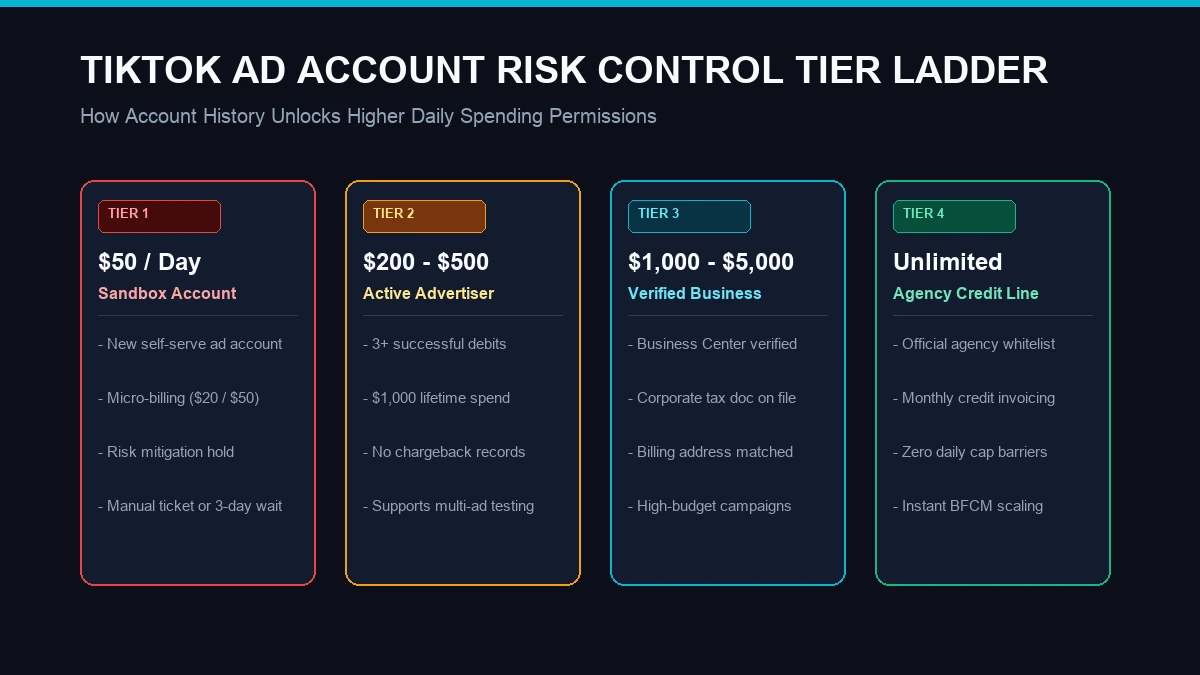
TikTok Risk Sandbox Architecture and Trust Tiers
TikTok risk architecture isolates advertiser financial risk from ad auction delivery algorithms. The risk engine assigns every new Business Center sub-account an initial risk index score.
The platform enforces four structured progression tiers. Advancing across tiers requires meeting specific payment velocity and legal validation criteria:
| Account Trust Tier | Daily Spending Cap | Billing Mechanism | Progression Thresholds |
|---|---|---|---|
| Tier 1: Risk Sandbox | $50 / day | Micro-threshold charges ($20 / $50) | Account default; requires 3 clean auto-billings |
| Tier 2: Verified Self-Serve | $200 - $500 / day | Scheduled billing ($100 - $250) | $500+ lifetime spend without payment retry |
| Tier 3: Commercial Portfolio | $1,000 - $5,000 / day | High threshold or post-pay credit | Completed Business Center entity verification |
| Tier 4: Enterprise Agency Line | Unlimited (No Cap) | Monthly consolidated invoicing | Approved agency line or contracted credit facility |
The Compounding Costs of Midday Delivery Freezes
A $50 daily cap inflicts damage far beyond capping intraday revenue. It introduces compounding structural penalties into your optimization cycle:
- Algorithm Learning Collapse: Exiting the learning phase requires roughly 50 conversion events within a 7-day window. If spend caps at $50 daily, ad groups cannot accumulate the conversion density required to calibrate bidding models. If campaigns repeatedly stall, review our guide on recovering from TikTok learning phase failed status.
- Auction Volatility Penalties: The ad auction rewards predictable liquidity. Accounts that abruptly shut down daily at 1:30 PM signal erratic buyer behavior, triggering higher baseline eCPMs when auctions reboot at midnight.
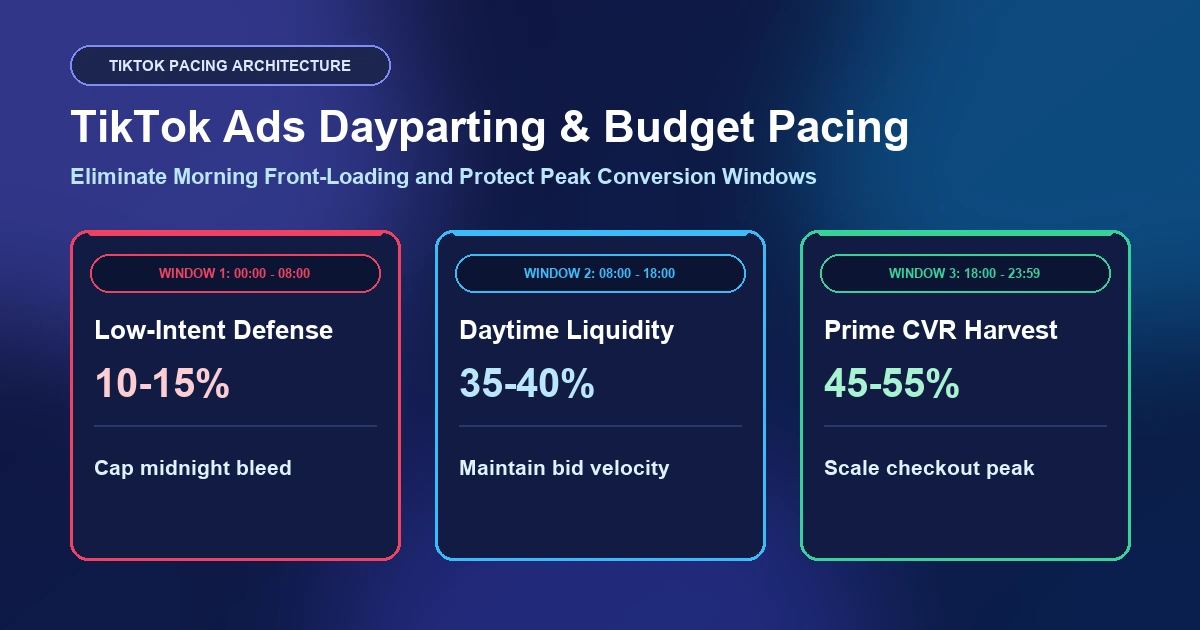
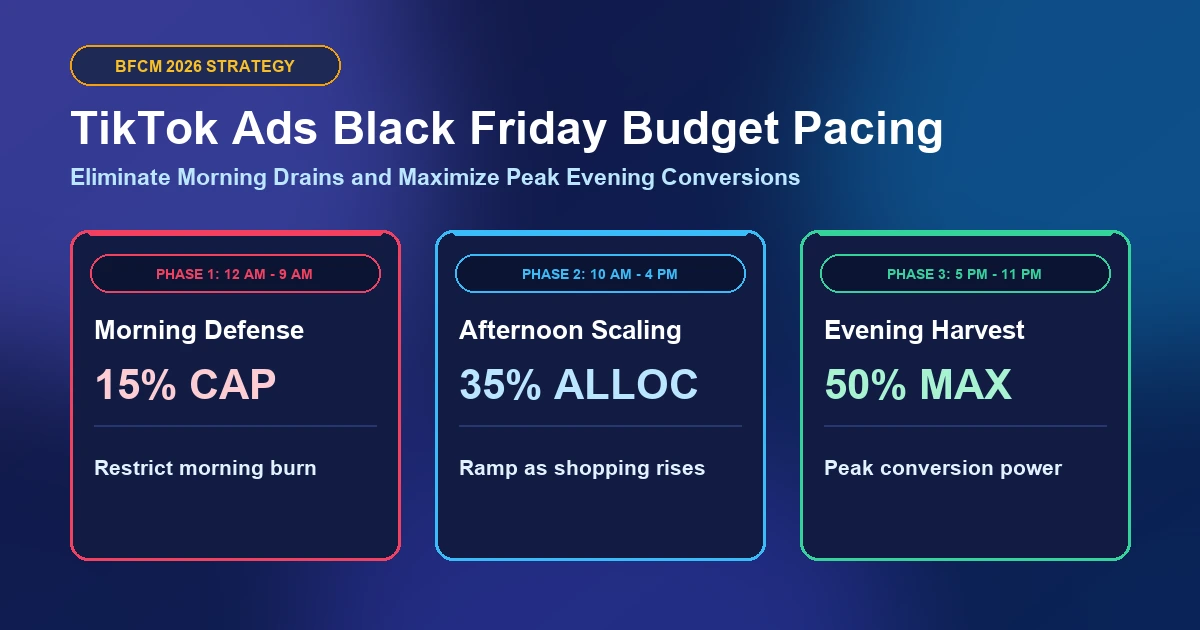
- Off-Peak Budget Dumping: Without dayparting, pacing algorithms front-load ad delivery during low-intent early morning hours, burning through your $50 ceiling before prime evening shopping traffic arrives.
4-Step SOP to Lift the $50 Daily Spending Limit Fast
Drawing on agency scaling playbooks, execute this 4-step SOP to transition your ad account from Tier 1 to Tier 3 smoothly.
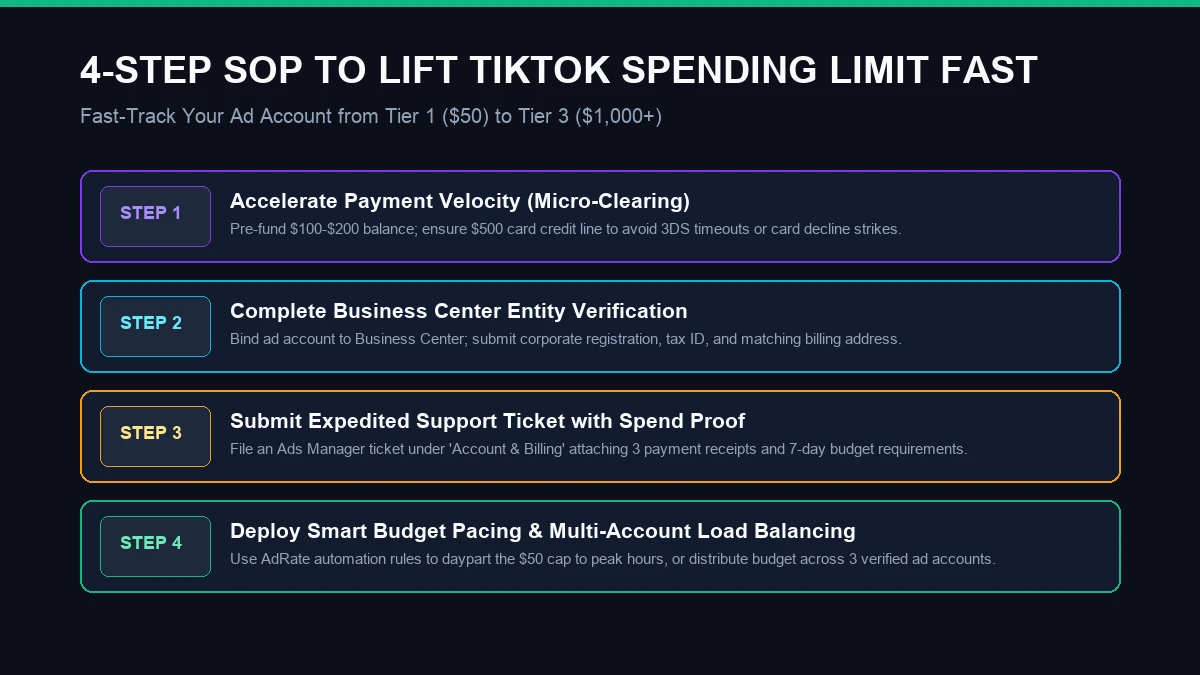
Step 1: Force Micro-Billing Cycles via Manual Pre-Funding
The fastest way to signal creditworthiness to TikTok automated risk engine is rapid billing velocity. Do not wait for weekly automated thresholds:
- In Ads Manager, navigate to Payment > Payment Methods.
- Click Add Balance (Manual Payment) and charge an initial deposit of $100 to $150.
- Pre-funding proves real liquidity, eliminating chargeback risk for the network.
- Maintain a minimum $500 buffer on your primary corporate card. In production testing, completing 3 successful micro-settlements without authorization drops routinely triggers an automated Tier 2 jump within 48 hours.
Step 2: Bind to a Verified Business Center Entity
Standalone personal ad accounts remain sandboxed significantly longer than accounts tied to verified business entities. Consolidate your asset structure:
- Open your TikTok Business Center (BC).
- Go to Assets > Advertiser Accounts and link your sandboxed account ID.
- Under Business Center Settings > Business Information, submit official corporate registration documents, tax IDs, and official business domains.
- Ensure the legal entity name, corporate address, and payment card billing details align verbatim. Verified Business Center assets frequently bypass Tier 1 sandboxes within 3 business days of document validation.
Step 3: File an Expedited Tier Upgrade Support Ticket
If your account has settled over $200 in clean ad spend but remains pinned to $50, prompt human compliance review using this verified ticket template:
- Path: In Ads Manager, open Help Center > Create a Ticket > Account & Billing > Increase Account Daily Spending Limit.
- Submission Template:
Subject: Request Daily Spend Limit Increase - Ad Account [Your Account ID] Dear Support Team, Our verified Business Center [BC ID] is scaling ad operations for [Store/Brand Name]. We have completed multiple successful settlements totaling $[Amount] with zero billing errors. Our active ad group targets $300/day, but delivery freezes midday at the $50 cap. Please review our flawless transaction record and upgrade our account to Tier 2 ($500/day). Business Verification URL: [Your Corporate Store/Domain Link] - Human review queues handle substantiated billing appeals within 24 to 48 hours.
Step 4: Balance Budget Across Accounts with Automated Tools
While awaiting tier escalation, tactical distribution ensures you do not waste peak seasonal demand:
- Automated Intraday Dayparting: Restrict ad delivery to high-intent conversion windows (e.g., 11:00 AM to 8:00 PM). Review our battle-tested framework on TikTok ad budget pacing and automation guardrails to prevent early morning budget waste.
- Multi-Account Matrix Scaling: Distribute risk by launching duplicate campaigns across 3 to 5 verified ad accounts within your Business Center. Running five accounts at $50 caps delivers $250 in aggregate daily spend. To avoid hours of repetitive manual setup, utilize our TikTok Ads spending limit multi-account duplication tool to clone top-performing campaign hierarchies, targeting rules, and creatives across accounts in 1-click.
- Enterprise Credit Lines: For seasonal spikes requiring $5,000+/day instantly, transition campaigns to pre-whitelisted agency credit lines with no daily caps.
Safeguard Your Scaling Momentum with AdRate Automation
Navigating TikTok ad spend caps requires proactive monitoring and disciplined pacing. An unexpected midday halt starves your conversion funnel and erodes hard-won auction momentum.
AdRate equips growth teams with intelligent automation rules that monitor daily spend consumption, alert media buyers when accounts approach threshold limits, and pause underperforming ad groups before caps hit. Protect your ad operations, safeguard budget velocity, and scale without interruptions by signing up for AdRate today.
Official TikTok new advertiser program - exclusive benefits for new advertisers
Open a new TikTok ad account and earn official ad credit as you spend
Spend $200 within 30 days of signing up and get $200 in ad credit, rising to $6,000 when you spend $10,000. Credits go straight into your TikTok ad campaigns.
Coupons are issued by TikTok once it confirms you qualify as a new advertiser. Actual issuance and tiers are shown on the Coupon Progress page inside your TikTok Ads account.