How to Get TikTok Ads Invoices: Ads Manager vs. Business Center
Learn how to get a TikTok Ads invoice or payment receipt in Ads Manager and Business Center, which roles you need, and how to fix missing invoices.
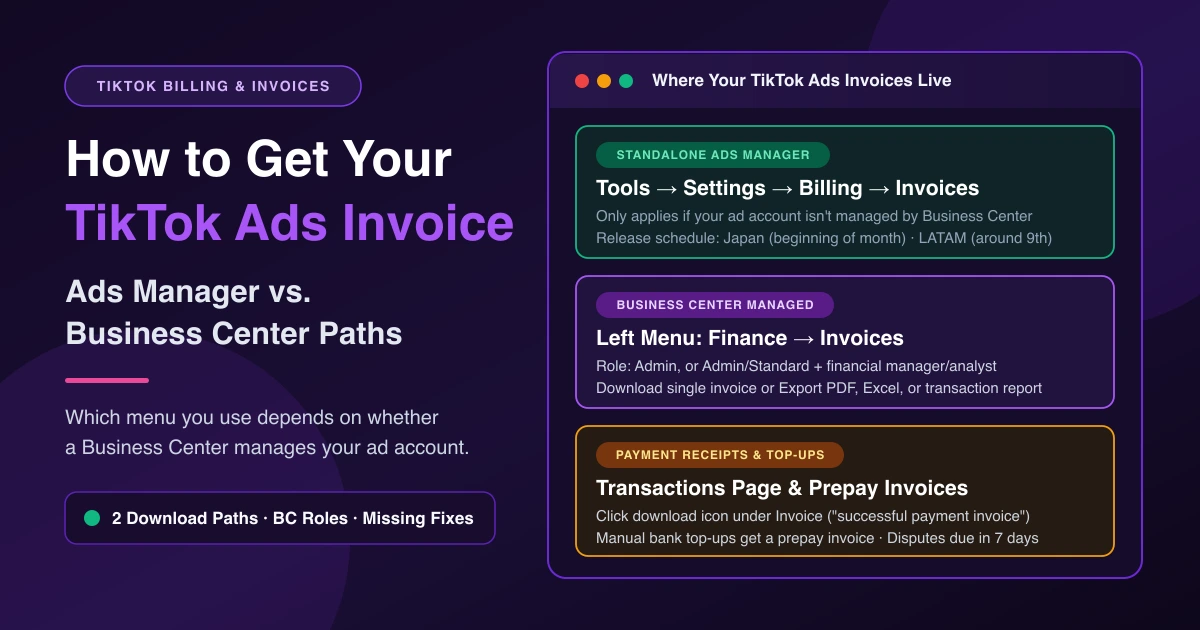
When finance asks for billing records, how you get a TikTok Ads invoice depends on who manages your ad account. For standalone accounts in TikTok Ads Manager, hover over Tools on the top navigation bar, select Billing under Settings, and click Invoices. If a Business Center manages your ad account, open Business Center and click Finance → Invoices on the left menu.
First, Check Who Manages the Ad Account
Before hunting for billing tabs, check whether your advertiser account stands alone or belongs to a Business Center. TikTok's Ads Manager invoice guide states: "These steps only apply if your ad account isn't managed by Business Center. If your ad account is managed by a Business Center, refer to how to manage invoices in TikTok Business Center."
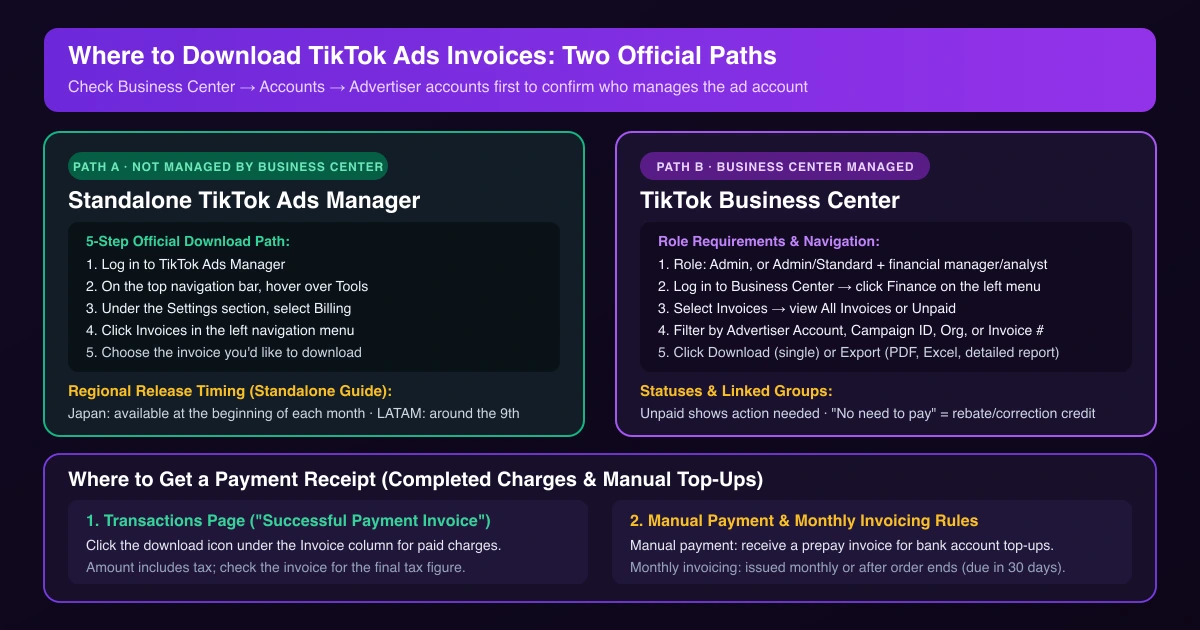
To check whether a Business Center manages the account, log in to Business Center, click Accounts on the left menu, and select Advertiser accounts. After a TikTok ad account transfer to Business Center, invoice access moves to Business Center too. Assigning billing roles during your agency ad account checklist prevents month-end login confusion.
Download Invoices in TikTok Ads Manager
Use these steps only if you have a TikTok Ads Manager account not managed by Business Center:
- Log in to TikTok Ads Manager.
- On the top navigation bar, hover over Tools.
- Under the Settings section, select Billing.
- Click Invoices in the left navigation menu.
- Choose the invoice you'd like to download.
Invoice release timing is listed for two regions:
- Japan: Available at the beginning of each month.
- LATAM: Available around the 9th of each month.
Download Invoices in Business Center
Follow these steps if Business Center manages your ad account. For automatic payment, monthly invoicing, or manual payment billing methods, your invoices live in Business Center, and TikTok still emails copies of your invoices.
1. Required Business Center Roles
You need one of these roles to view or manage invoices in Business Center:
- Admin role
- Admin role with a financial manager/analyst role
- Standard role with a financial manager/analyst role
If you cannot see the Finance tab, ask an admin to update your access—see fixing TikTok Ads permission errors.
2. Filter, Download, or Export Invoices
Once your role is set, download invoices in Business Center:
- Log in to Business Center.
- Click the Finance tab on the left side menu and select Invoices.
- Filter by Advertiser Account, Campaign ID, Billed to Organization, or Invoice Number, and narrow by date and payment status.
- View All Invoices, or click Unpaid for statements requiring action (for declined cards, see TikTok Ads payment failed fixes).
- Click an invoice to expand details, or click Download for a single file.
To export a summary from the Invoices page, click Export and choose PDF, Excel, or detailed transaction report. To view grouped bills, click an invoice and select Linked invoice group. The No need to pay status marks invoices with credits from activities such as a rebate and invoice amount correction.
Where to Get a Payment Receipt
If you need a TikTok Ads receipt for a completed charge or bank transfer, check these two records:
- Transactions page: On the Transactions page, you can view campaign costs and download invoices and records. Under Invoice ("The successful payment invoice"), click the download icon to download the invoice. Amount shows the exact transaction amount including tax; estimated tax under Costs may differ from the final tax on the invoice.
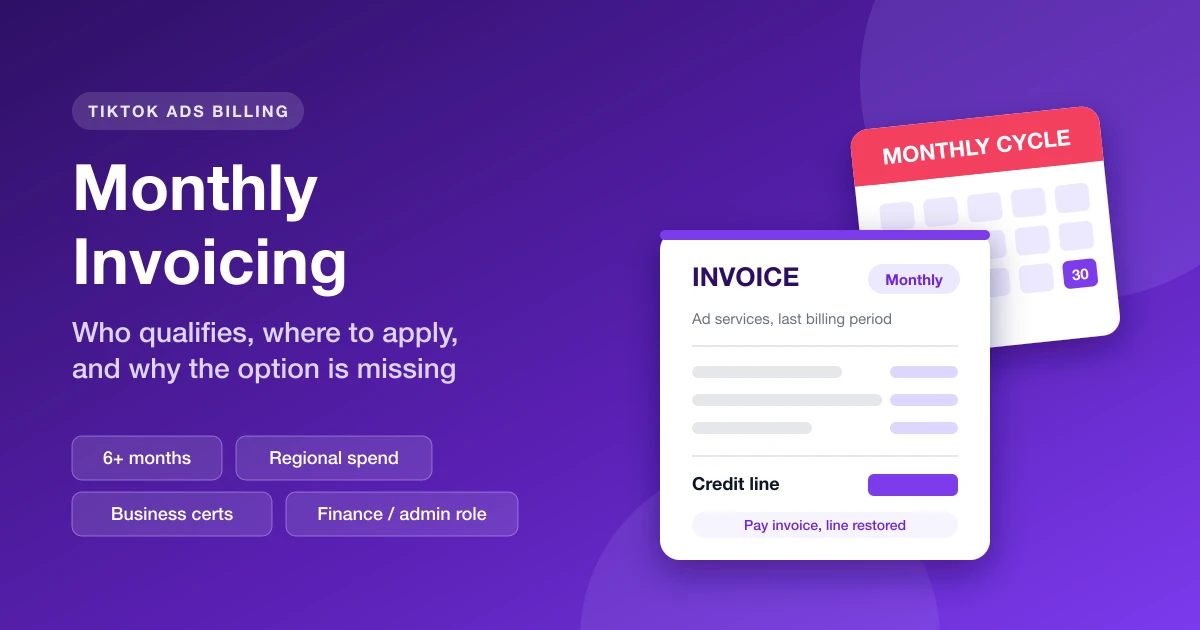
- Manual and monthly billing: Manual payments receive a prepay invoice for payments made to the designated bank account. Monthly invoicing accounts receive an invoice monthly or after the order ends, due 30 days from the invoice date unless otherwise agreed. See who qualifies for monthly invoicing.
Can't Find Your Invoice? Checklist
Invoice list still empty? Work through these six checks:
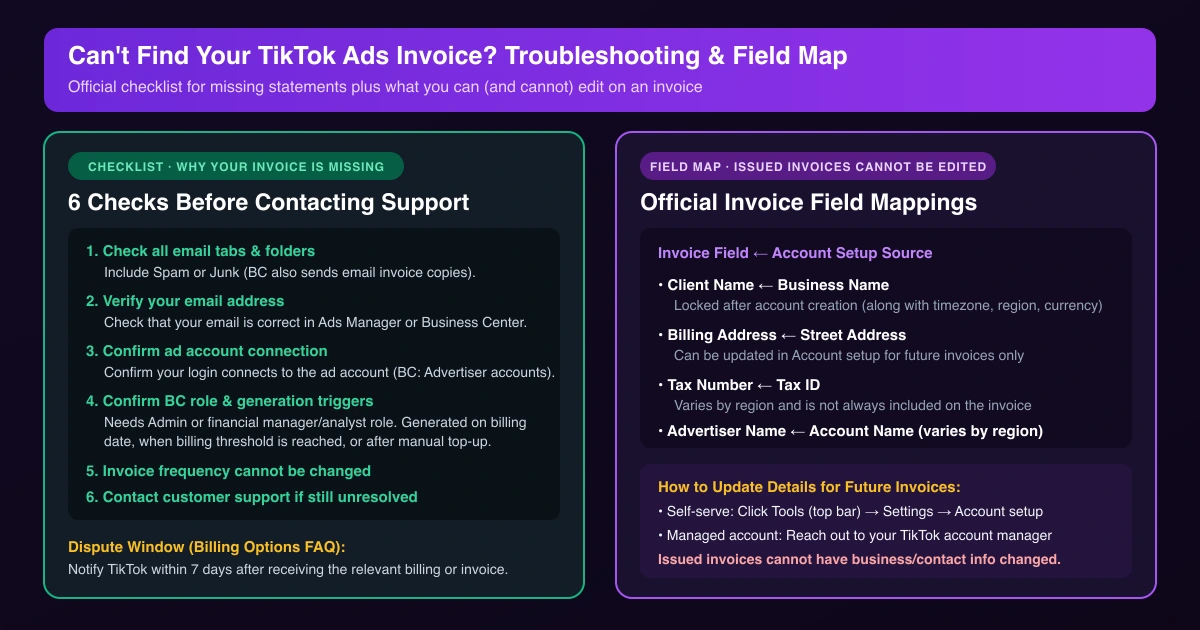
- Check all email tabs and folders: Including Spam or Junk (Business Center also sends email copies).
- Check your email address: Confirm it is correct in TikTok Ads Manager or Business Center.
- Confirm ad account connection: Verify the TikTok Ads Manager account or Business Center you are logged into is connected to the ad account (in Business Center, check Accounts → Advertiser accounts).
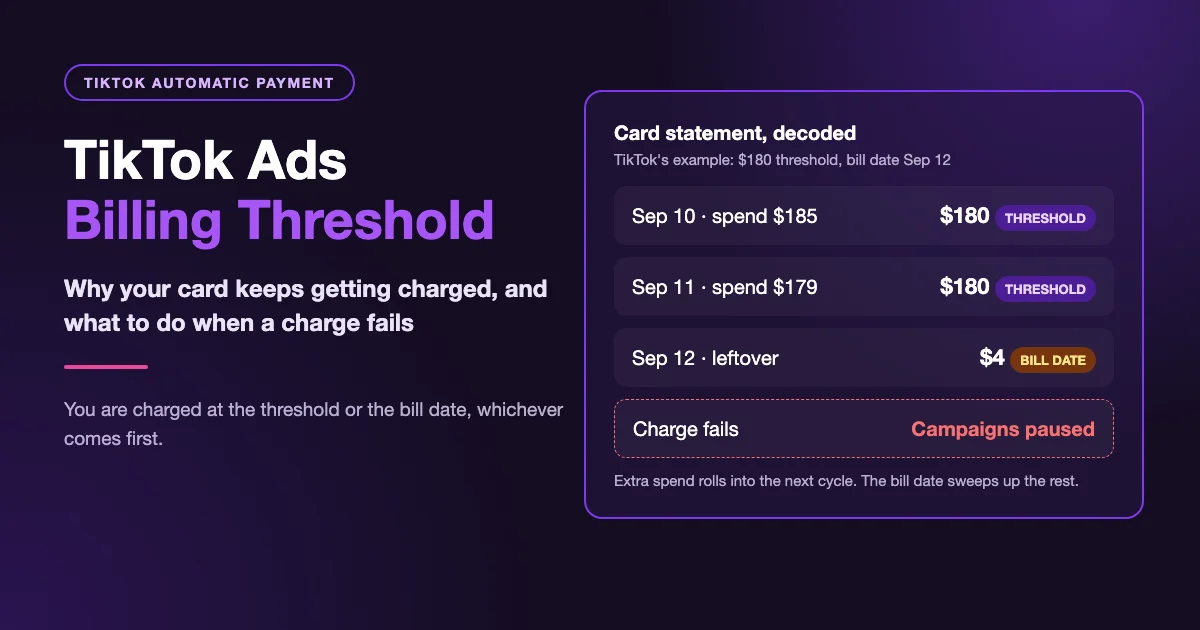
- Check generation triggers: Invoice frequency cannot be changed. Invoices generate on the billing date, once the billing threshold is reached, or after a manual payment top-up completes.
- Check invoice field mappings: On the invoice, Client Name maps from Business Name, Billing Address from Street Address, Tax Number from Tax ID, and Advertiser Name from Account Name (the last two vary by region and are not always included). Timezone, region, business name, and ad account currency cannot be edited after creation, and TikTok does not support changing business or contact info on an issued invoice. Update future invoice details under Tools → Settings → Account setup, or via your account manager.
- Contact customer support: Reach out to TikTok support if unresolved.
Frequently Asked Questions
Can I change how often TikTok sends invoices?
No. Invoice frequency cannot be changed; invoices generate on your billing date, when your billing threshold is reached, or after a manual top-up completes.
Can I edit the business name on an invoice?
No. Issued invoices cannot be edited, and business name is locked at creation. Updates in Tools → Settings → Account setup (or via your account manager) apply only to future invoices.
Does the invoice include tax?
Yes, Amount includes tax. Always check the invoice for final tax since estimated tax under Costs may differ—see whether TikTok Ads charges VAT.
How long do I have to dispute an invoice?
You must notify TikTok within 7 days after receiving the relevant billing or invoicing.
Keep Multi-Account Operations Organized with AdRate
Jumping between separate logins and Business Centers slows down daily execution. Agencies and media buyers can use AdRate to manage multi-account TikTok campaigns in one workspace, spending less time switching tabs.
Official TikTok new advertiser program - exclusive benefits for new advertisers
Open a new TikTok ad account and earn official ad credit as you spend
Spend $200 within 30 days of signing up and get $200 in ad credit, rising to $6,000 when you spend $10,000. Credits go straight into your TikTok ad campaigns.
Coupons are issued by TikTok once it confirms you qualify as a new advertiser. Actual issuance and tiers are shown on the Coupon Progress page inside your TikTok Ads account.